Dynamic Symbols – SketchUp Plugin for Instant Symbol Animation
Bring your architectural diagrams to life with Dynamic Symbols, a lightweight SketchUp plugin that lets you animate and customize 2D symbols instantly.
The Plugin has 03 Core Features.
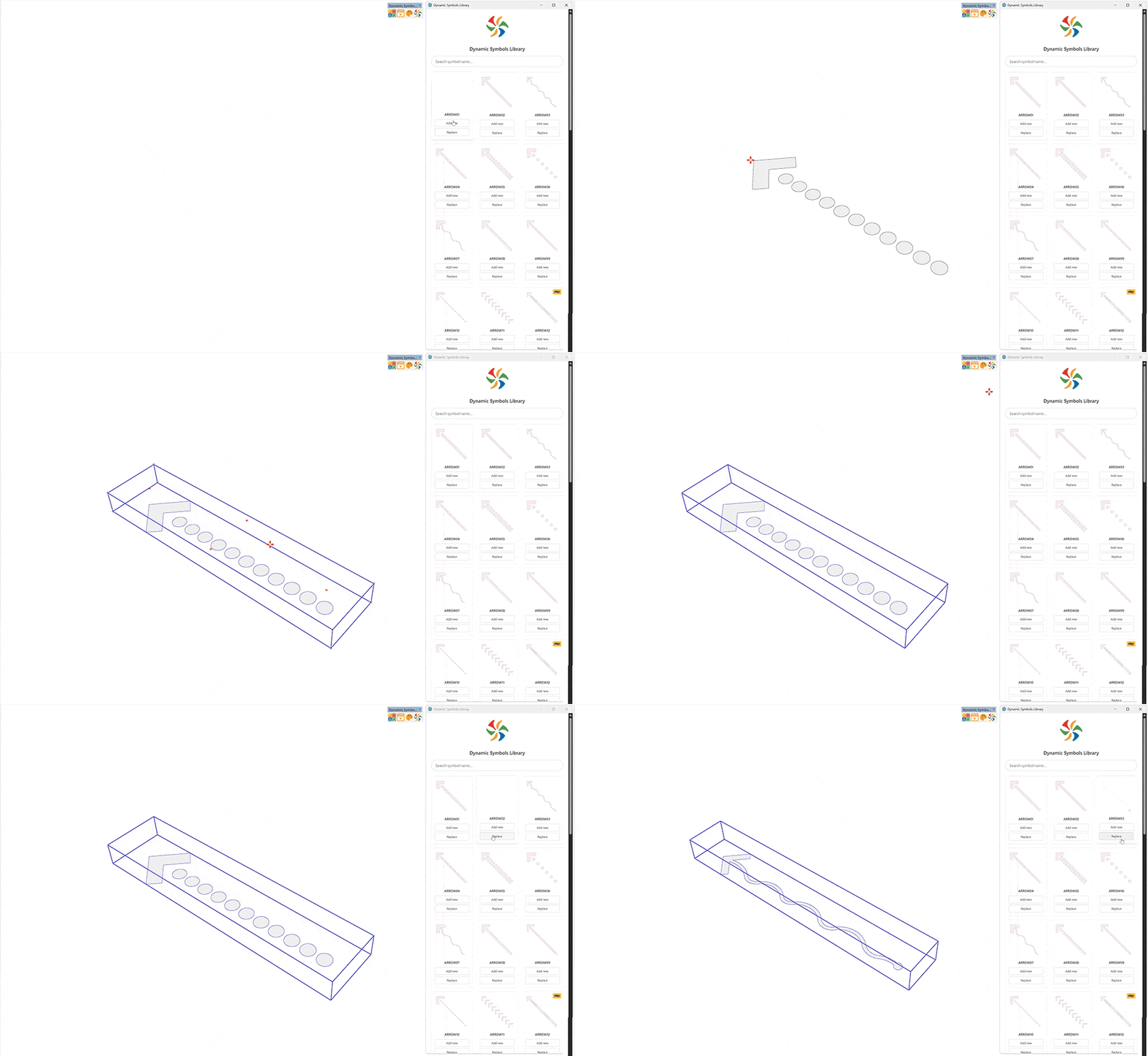
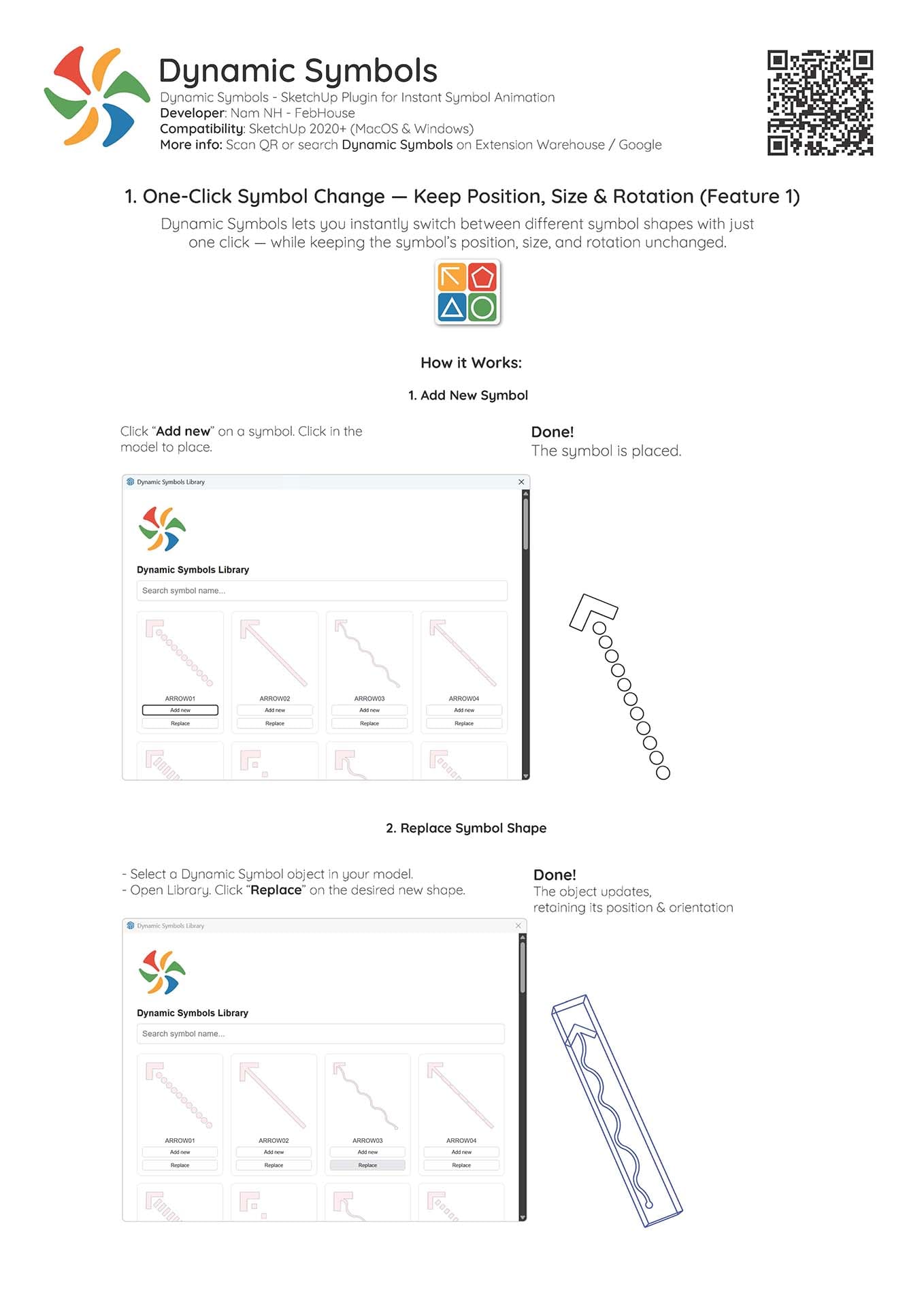
Dynamic Symbols lets you instantly switch between different symbol shapes with just one click — while preserving the symbol’s exact position, size, and rotation in your 3D model.
- Step 1: Select any symbol from the Dynamic Symbols toolbar.
- Step 2: Click Yes when prompted to place the symbol at your cursor.
- Switch Shapes: To change the symbol type, select it and click any other symbol icon in the toolbar. The geometry updates instantly!
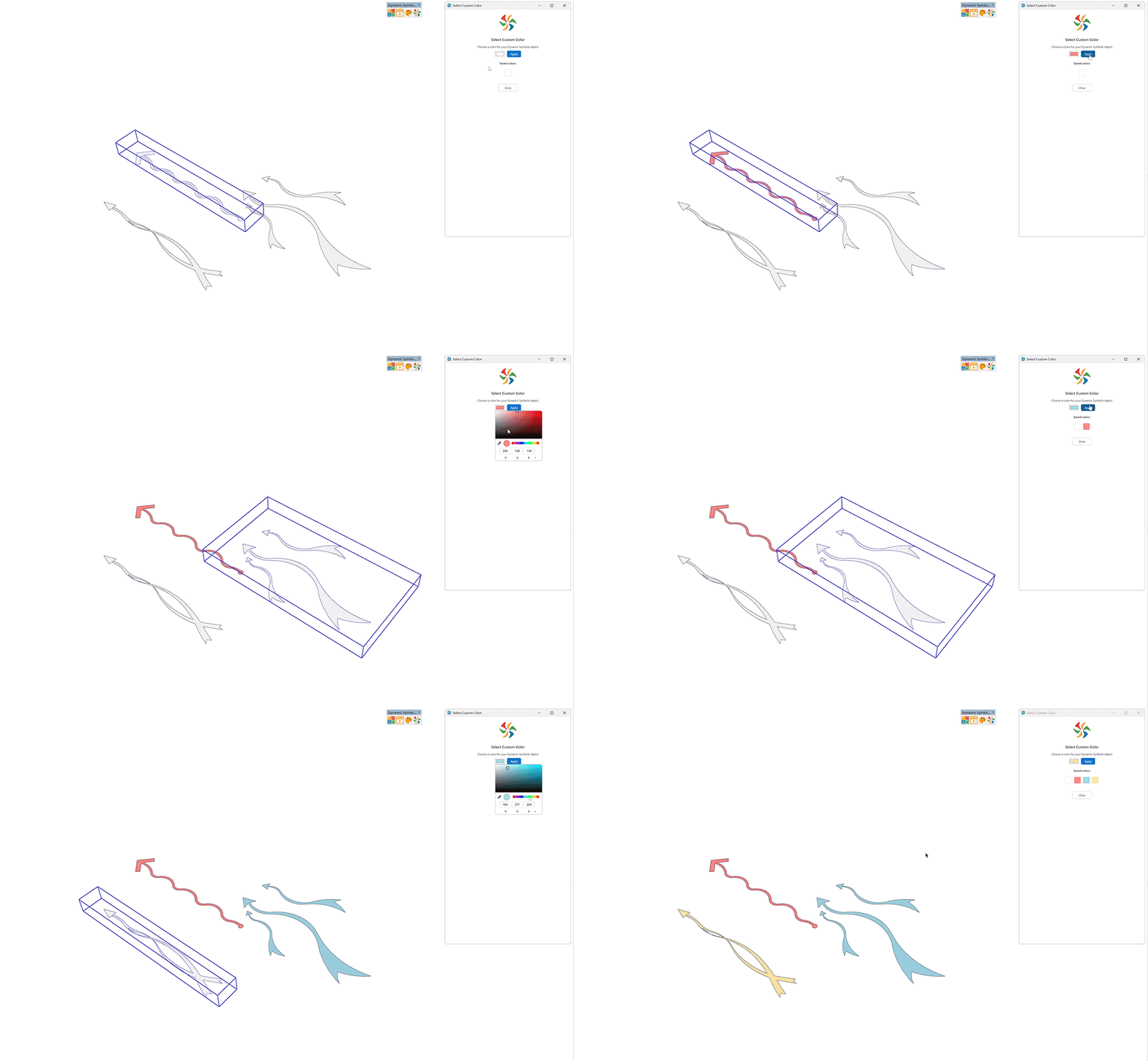
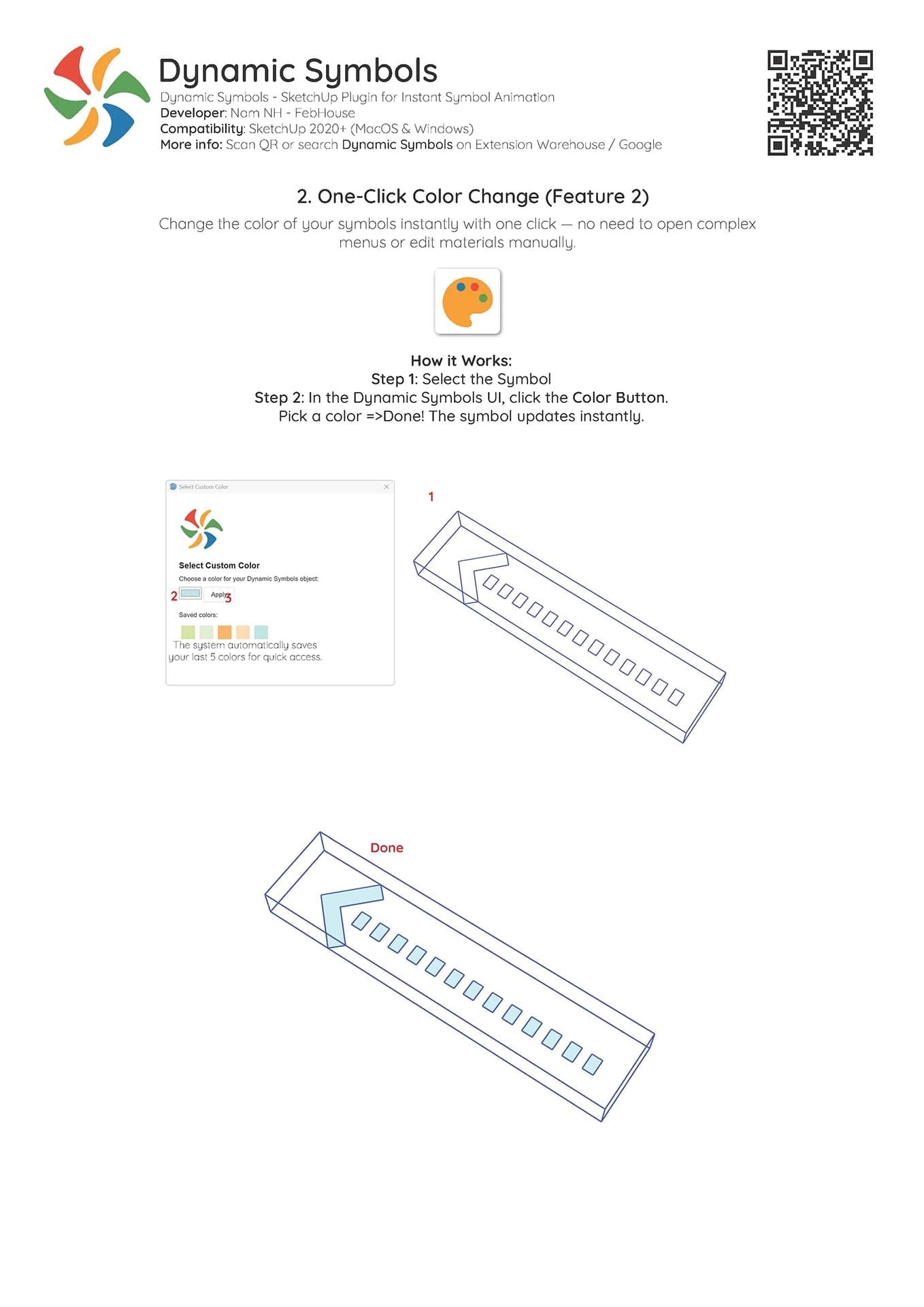
Change the color of your diagram symbols instantly without editing materials or opening nested components manually.
- Step 1: Select the symbol in your SketchUp viewport.
- Step 2: Click the Color Button in the Dynamic Symbols palette.
- Step 3: Choose your color from the picker — done!
- Tip: The plugin automatically remembers your last 5 colors for fast access.

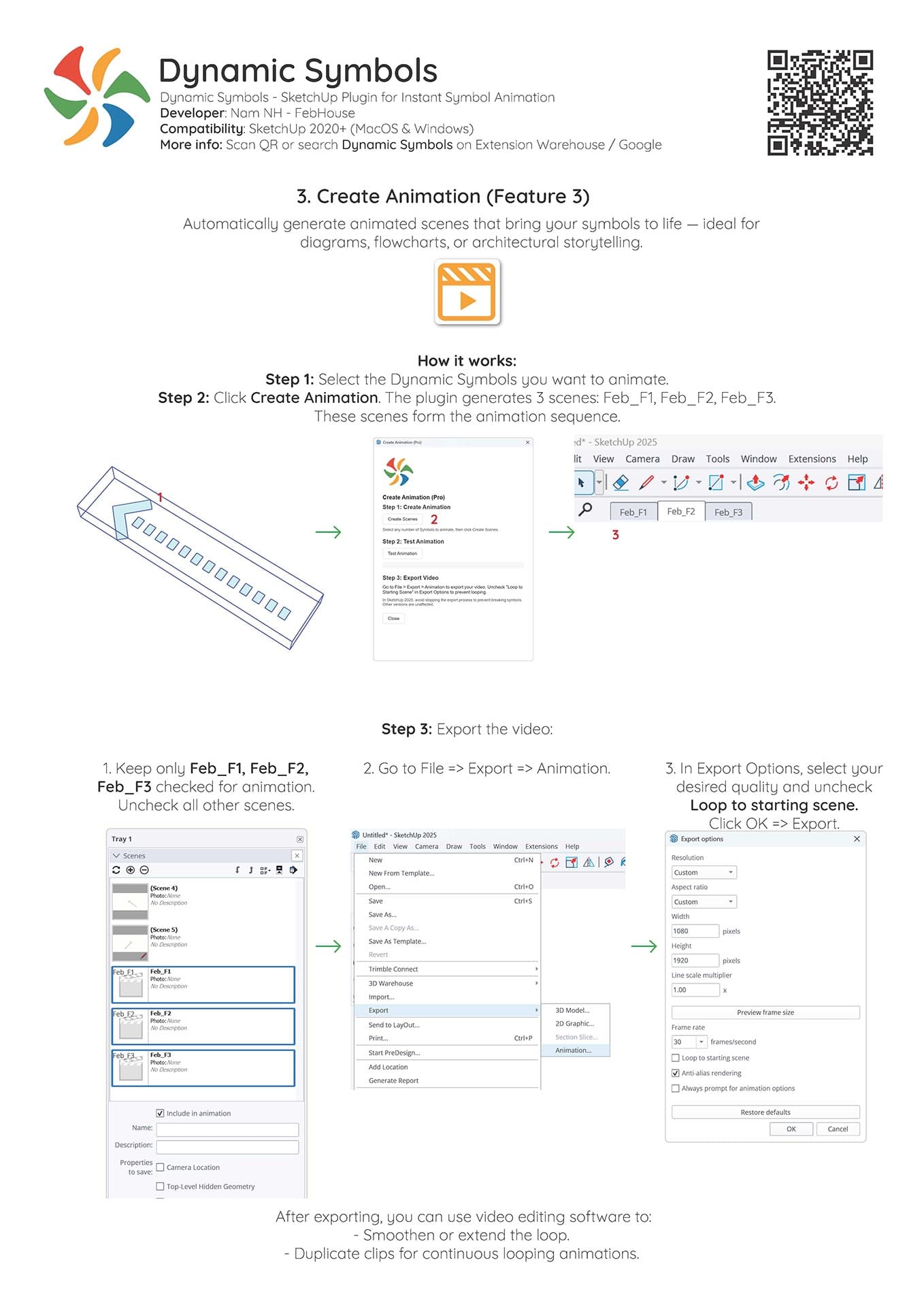
Automatically generate animated scenes that bring your circulation and flow symbols to life — ideal for presentation boards, videos, and reels.
- Step 1: Select the Dynamic Symbols you want to animate.
- Step 2: Click Create Animation. The plugin automatically creates 3 animation scenes:
Feb_F1,Feb_F2,Feb_F3. - Step 3: Go to File → Export → Animation in SketchUp to render your high-quality video clip.
What You Can Do with Dynamic Symbols:
- 1 Circulation & Pedestrian Movement Flows
- 2 Environmental & Natural Ventilation Streams
- 3 Functional Space Zoning & Markers
- 4 3D Perspective Section Annotations
- 5 Architectural Video Animations & Reels
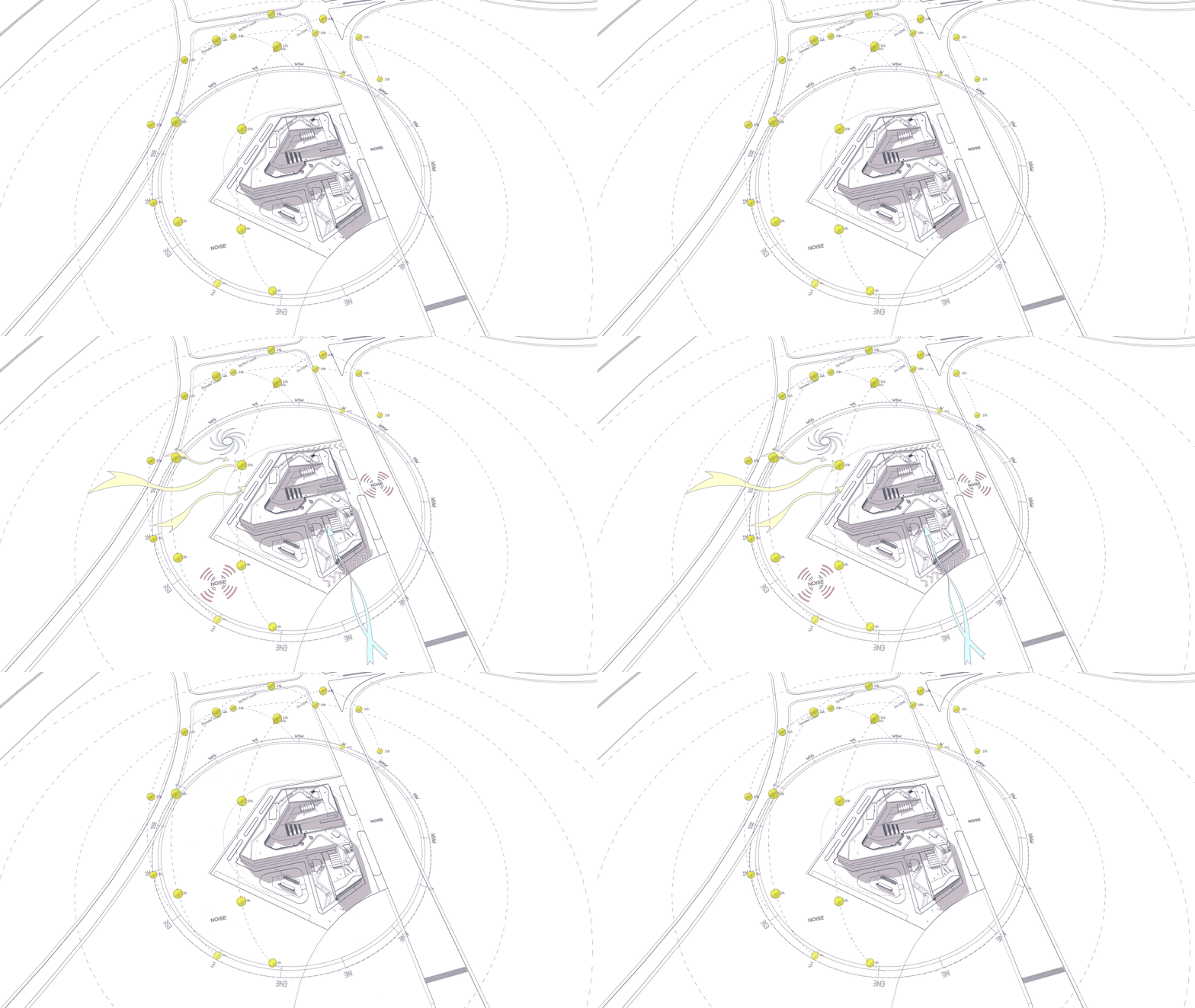
Explore Diagrams Created with Dynamic Symbols
Get Dynamic Symbols
Choose the version that fits your workflow
Dynamic Symbols Standard
Free for all users, commercial work permitted.
Official Free Release • Compatible with SketchUp 2020–2026
Dynamic Symbols Pro ⭐
Unlock full animation power & complete symbol library.
Prefer SketchUcation? Get it here
Dynamic Symbols is developed by Febhouse.
The Standard version is officially available on SketchUp Extension Warehouse.
The Pro version is available via Gumroad or SketchUcation (Lifetime) and Extension Warehouse (Annual).
Release History
🛠️ Updates & Improvements: Added 12 new curved flow symbols, optimized memory consumption for heavy models, fixed scene transition delays in SketchUp 2026.
Legacy Changelog (All previous versions)
- ✔️ UI Enhancement: Improved Dynamic Symbols Library UI.
- ✔️ Compatibility Fix: Resolved an incompatibility with SketchUp 2025/2026’s new graphic engine.
- Added 1-Click Color Change feature.
- Added 1-Click Create Animation feature.
Initial release on SketchUp Extension Warehouse.
Step-by-Step User Guide (PDF)
Official 3-page quick reference and shortcuts manual
2-Minute Quick Start Video
Frequently Asked Questions & Documentation
What is Dynamic Symbols used for?
Which versions of SketchUp are supported?
Can I use the plugin for commercial projects?
Where can I find sample files using this plugin?
What are the different versions of Dynamic Symbols?
- Free Version: Available officially on the SketchUp Extension Warehouse.
- Studio Version: Offers subscription-based licensing ($12/year) on the Extension Warehouse with auto-updates.
- Pro Version: Offers lifetime ownership ($29) via Gumroad and SketchUcation.
What is the difference between the Studio and Pro versions?
- Studio: Annual subscription ($12/year), managed via Extension Warehouse with automatic updates.
- Pro: Designed for long-term ownership. One-time payment for lifetime access ($29), includes free lifetime updates, and supports offline activation.
Where is my License Key for the Studio version?
Can I use the plugin on multiple computers?
- Studio: Yes, simply log into your SketchUp account on the new computer and install the extension from the Warehouse.
- Pro: The lifetime license is for individual use. You may install it on multiple personal machines (e.g. desktop and laptop), but concurrent use by different people or sharing the key is prohibited.
I already own the Pro version. Do I need to subscribe to the Studio version?
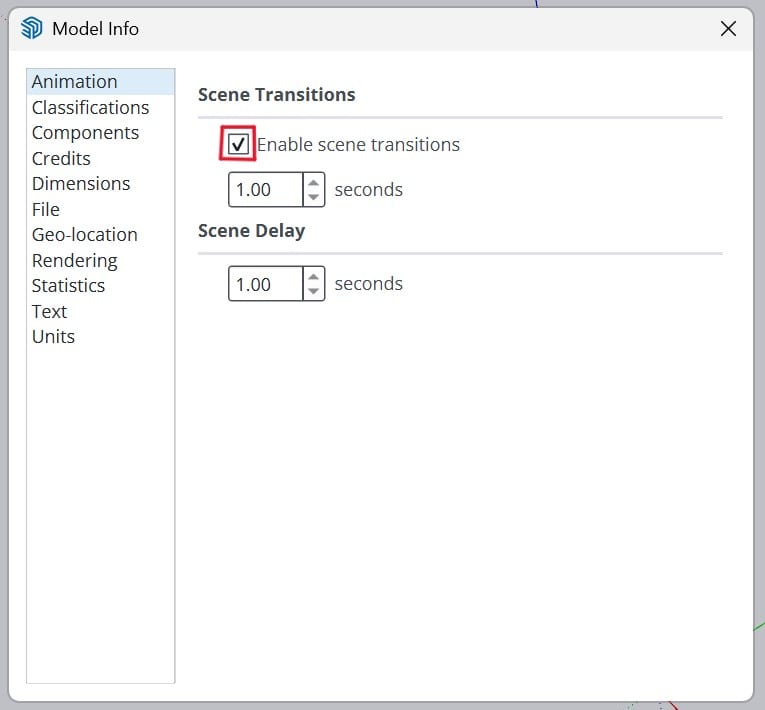
Why does my exported animation flicker, or the arrows just pop up?
How do I install the plugin?
- Free/Studio: Open SketchUp > Extension Warehouse > Search for "Dynamic Symbols" (by Febhouse) > Click "Install" or "Try or Purchase".
- Pro: After purchasing, download the ZIP/RBZ file. Open SketchUp > Extension Manager > Click "Install Extension" and select the .rbz file.
Do you offer refunds?
I installed the plugin, but the interface isn't showing. What should I do?
I received an "SSL_connect" activation error. How do I fix this?
- Ensure your computer's system date and time are accurate.
- Try connecting to a different network (like a mobile hotspot) for initial one-time activation.
- Verify that you are using an official version of SketchUp.