Environmental Analysis in Architecture – Sun & Wind Mapping Using SketchUp Tools
https://www.youtube.com/watch?v=AtUqw1FCQHs
Why Environmental Analysis Matters
In architectural design, Environmental Analysis helps us understand how natural forces interact with a site. Sunlight, wind, noise, humidity, and vegetation all play a role in shaping comfortable, sustainable spaces.
Ignoring environmental factors can lead to overheating rooms, poor ventilation, or unpleasant outdoor areas. That’s why architects use environmental diagrams to make data-informed design decisions early in the process — and to explain them clearly to others.
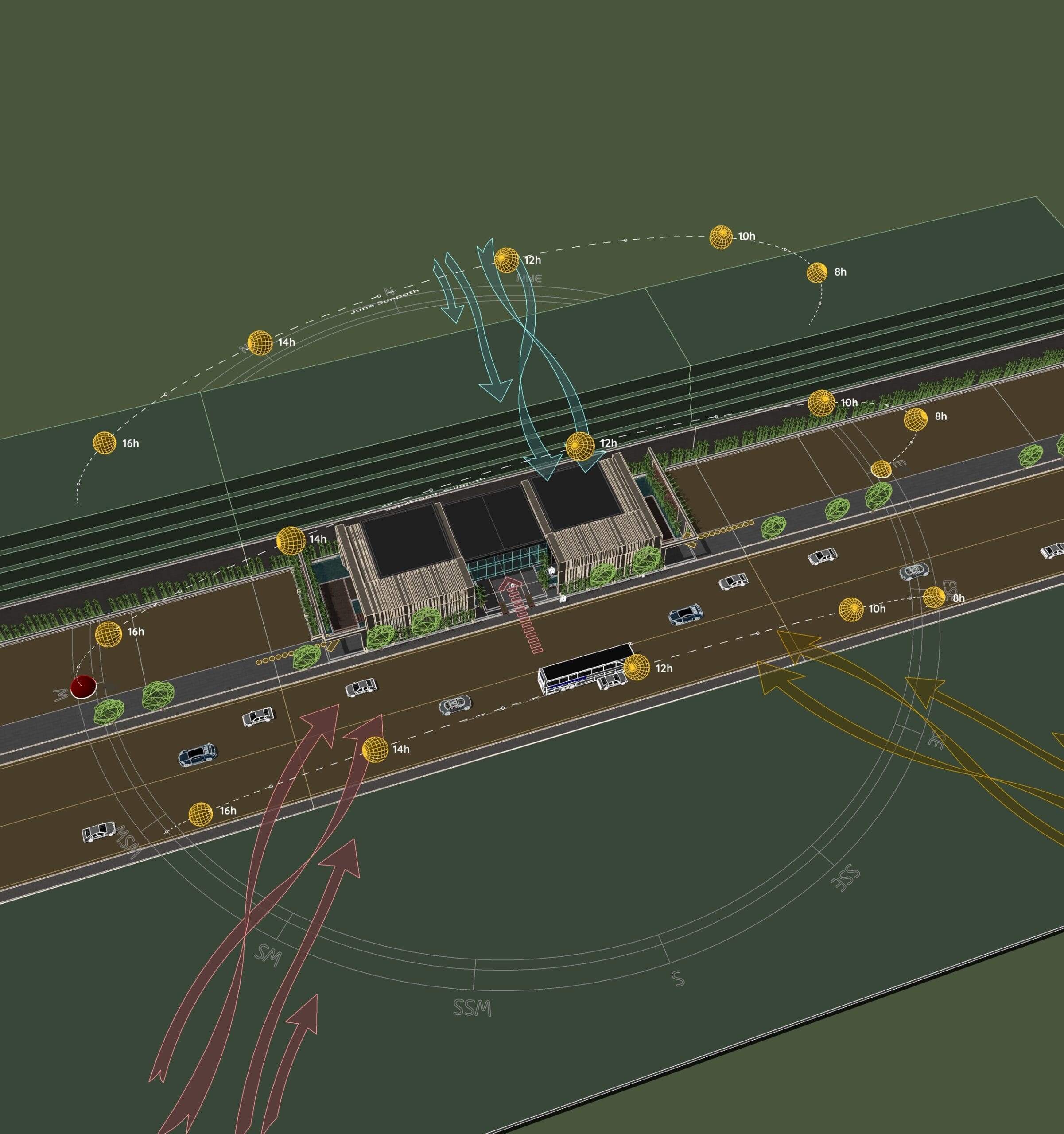
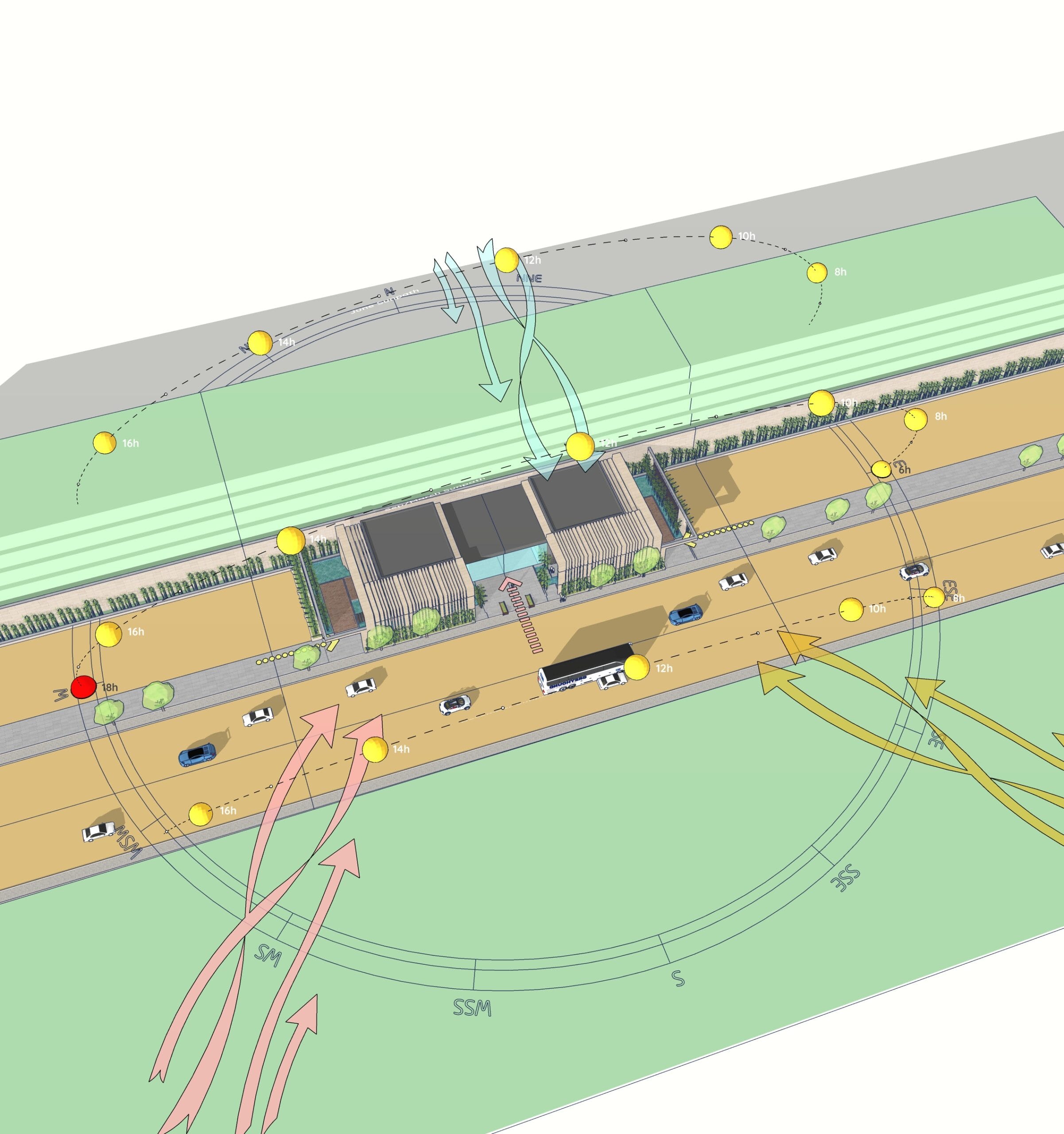
In this post, I’ll show you how I created an Environmental Analysis Diagram using the Sun Diagram plugin and a library of Dynamic Symbols in SketchUp.
Tools Used in This Diagram
To build the diagram shown in this post, I used two key tools inside SketchUp:
- Sun Diagram (SketchUp Plugin):
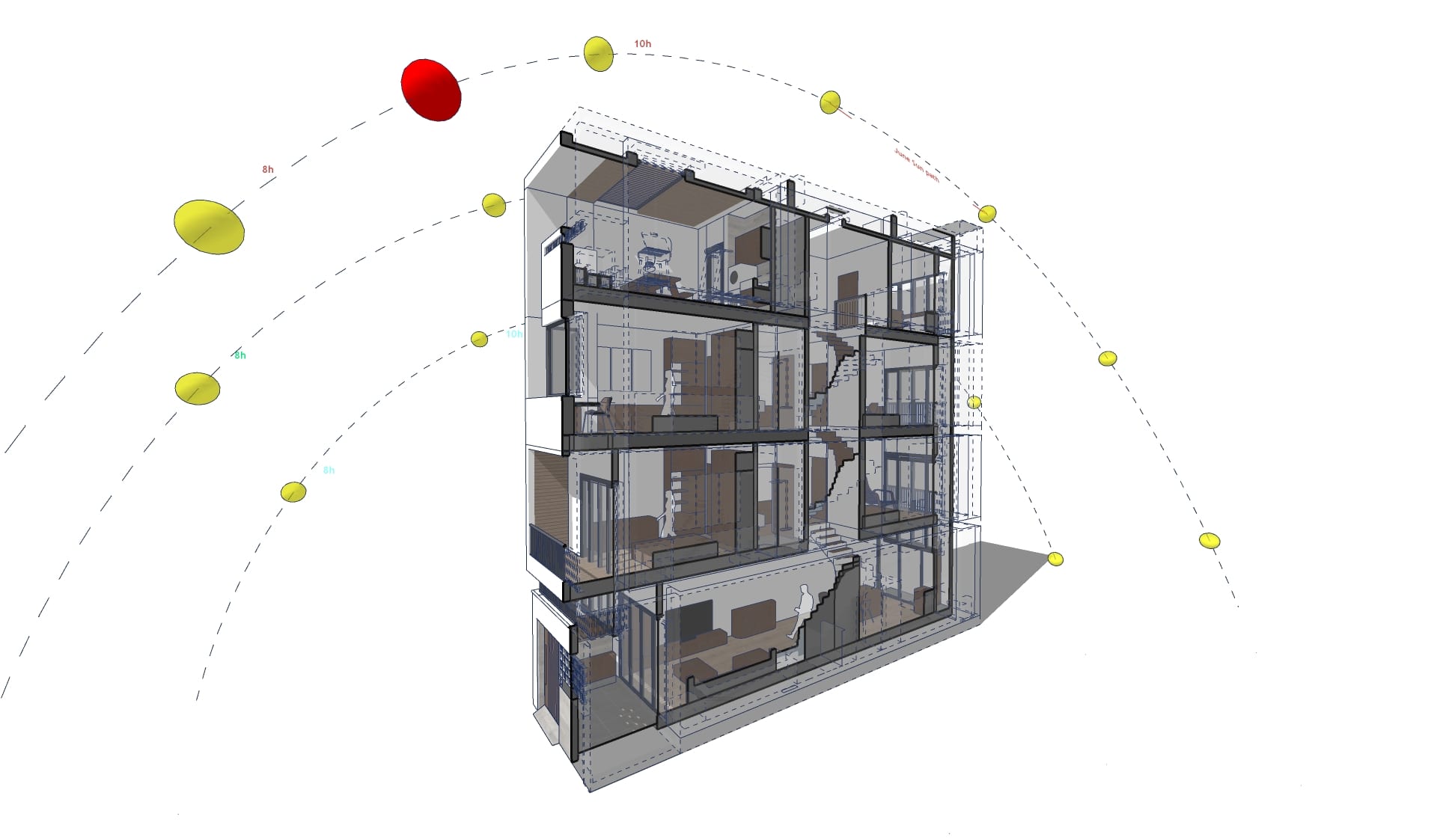
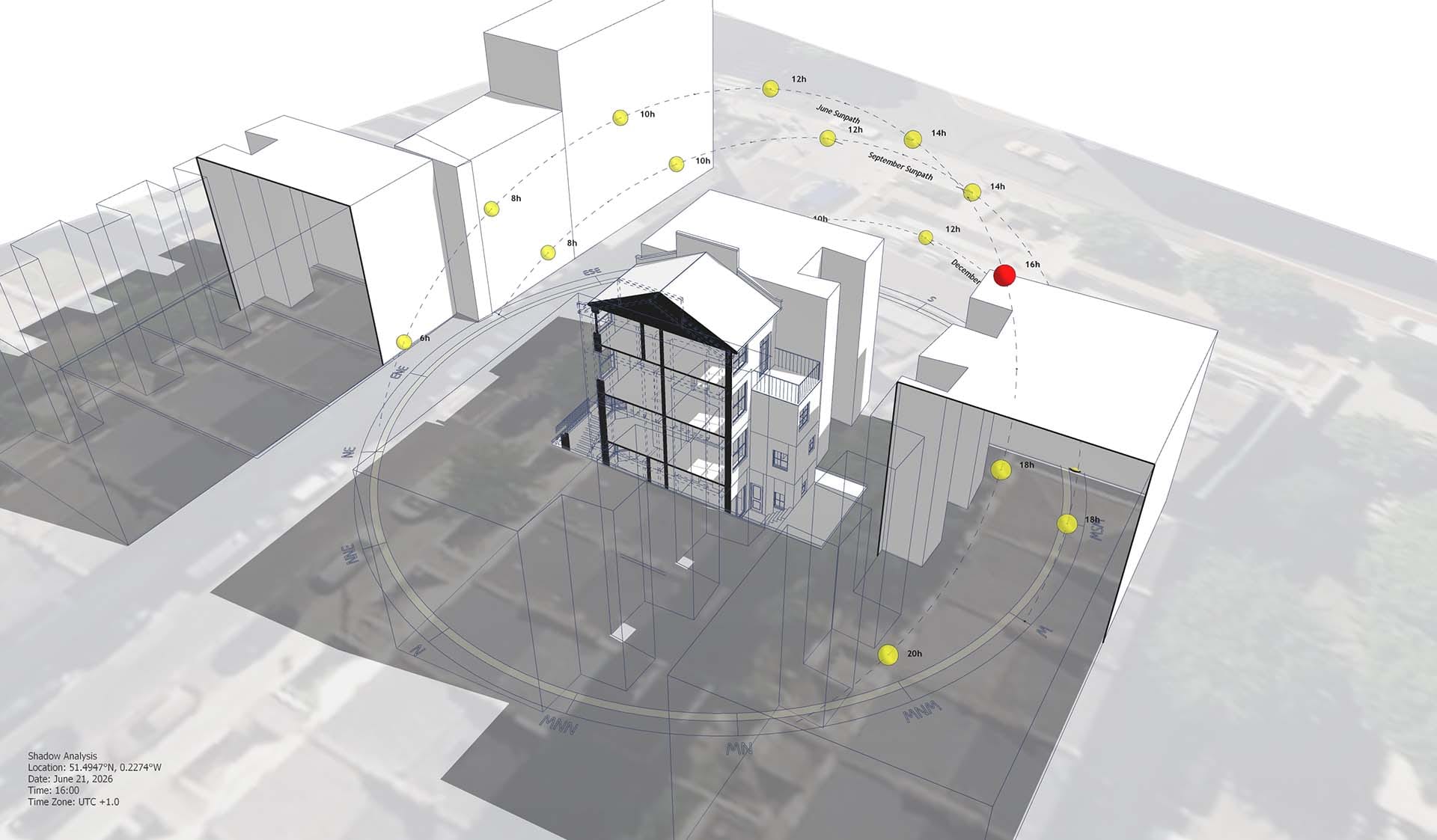
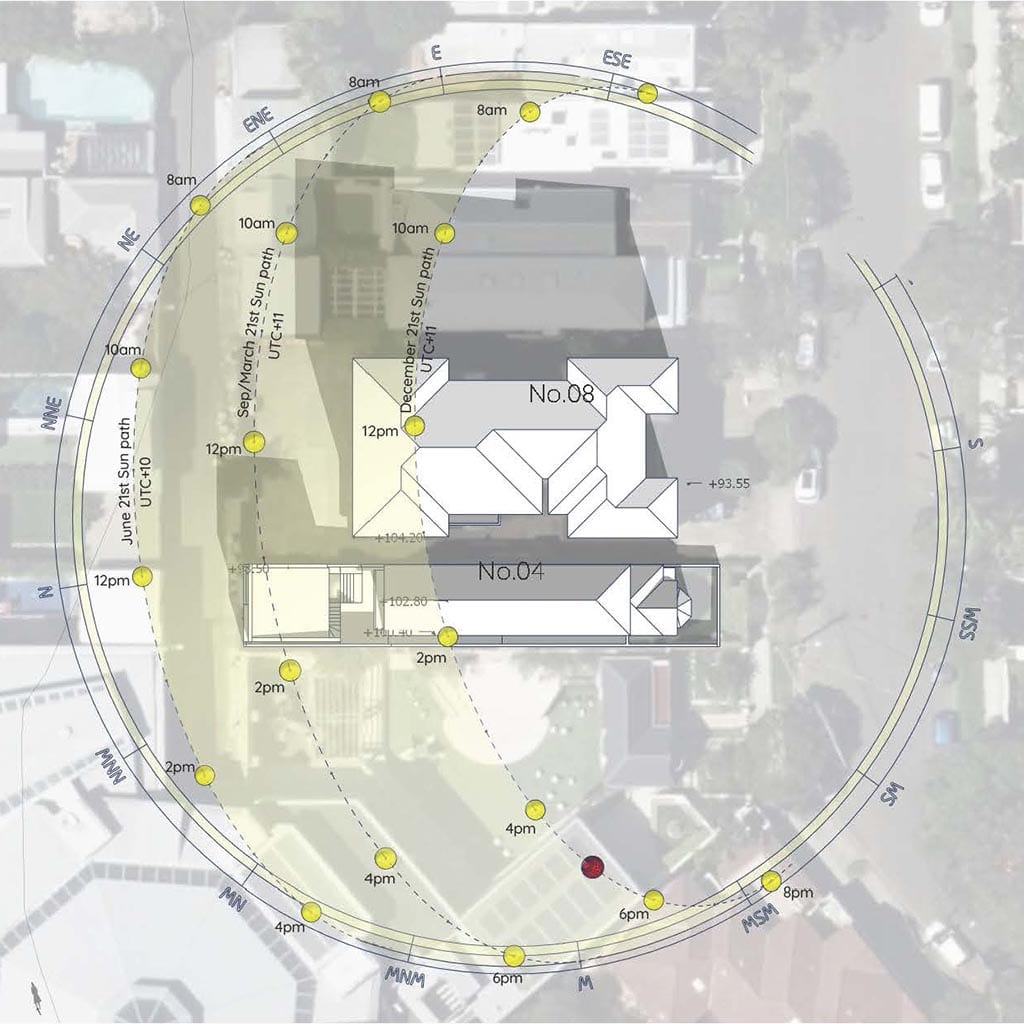
This plugin lets you generate accurate sun path and shadow analysis for any time and date. It helps visualize how sunlight affects the site and nearby buildings — essential for context awareness and passive design decisions.
User guide for Sun Diagram is available here: https://sundiagram.com/sun-diagram
- Dynamic Symbols (SketchUp Plugin):
Dynamic Symbols is a SketchUp plugin that allows you to create animated symbols and switch between different states with just one click.
User guide for Dynamic Symbols is available here: https://sundiagram.com/dynamic-symbols/
- Both tools are designed to speed up the diagramming process while keeping your presentation clear and professional. Download plugins for free here:
Free download Dynamic Symbols plugin
Step-by-Step Guide: Create Architectural Diagrams Using SketchUp
Benefits of This Approach
With this diagram, you can:
- Make better passive design decisions
- Communicate clearly with clients and stakeholders
- Save time by not switching between software
- Keep your diagram editable and integrated within your design model
Architects and students alike can benefit from a clear, structured workflow like this — especially in early design stages.
Download project files
You can download the project file from the link:
Final Thoughts
Creating an Environmental Analysis Diagram doesn’t have to be complicated or time-consuming. With tools like Sun Diagram and Dynamic Symbols, you can generate data-driven, visually clear diagrams right inside SketchUp — without plugins overload or switching to Illustrator.
Stay tuned for more diagram templates, and feel free to use this one in your own projects.